

Gaming PC Maintenance & Thermal Optimization
Overheating in gaming PCs and gaming laptops, Thermal Throttling (Against sudden FPS drops), high fan noise, and shutdown issues under load) Arctic MX-4/MX-6 thermal pasteVRAM thermal pad replacement and case airflow optimization.
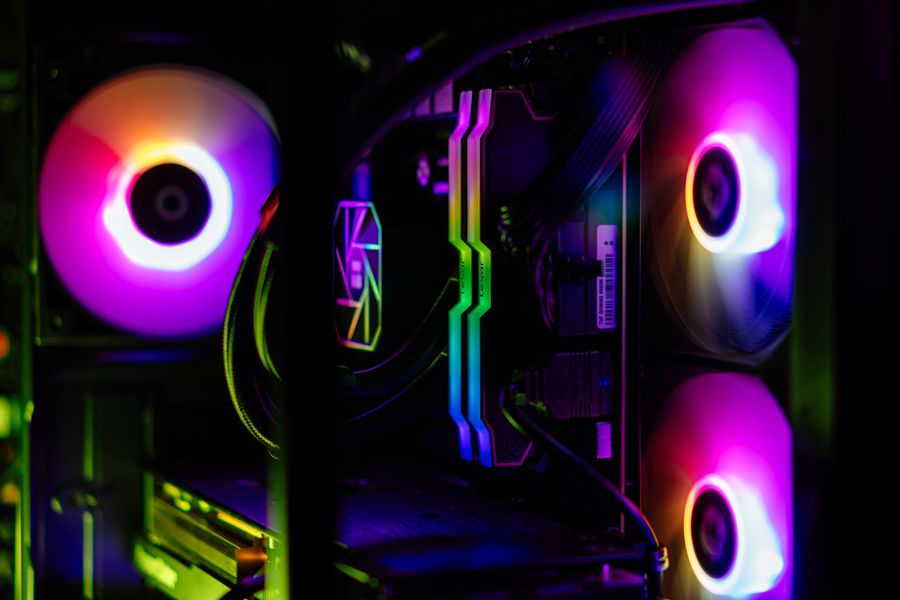
What procedures does gaming PC maintenance include?
Regular gaming PC maintenance isn't just about dusting; it's a thermal engineering process that ensures the hardware operates stably at high clock speeds (Boost Clock).
Processor Thermal Maintenance
High temperatures cause the processor to throttle (thermal throttling). Dried paste is cleaned and replaced with high-conductivity Arctic MX-4/MX-6 paste.
- Removing petrified old paste.
- Tower type & AIO block mount calibration
- CPU fan bearing and blade cleaning.
- AIDA64 FPU temperature test under load
Graphics Card Thermal Overhaul
GPU core and VRAM memory temperatures determine game stability. The graphics card is opened, and the millimeter-sized pads and thermal paste are replaced.
- GPU Hotspot temperature balancing
- 0.5mm - 2.0mm high conductivity thermal pad
- Fan blade and radiator fin cleaning
- FurMark 15-minute full load stability test
Case Airflow
Incorrect fan orientation or cable clutter can trap hot air inside the case. Positive air pressure prevents dust accumulation.
- Intake and exhaust fan optimization.
- Cable tray and rear panel layout
- Antistatic purification of dust filters.
- Eliminating internal turbulence
Liquid Cooling Pump & Radiator
In closed-loop (AIO) liquid cooling systems, radiator fin clogging and pump speed loss are examined.
- Cleaning the dust seals between the radiator fins.
- Pump speed (RPM) and flow control
- Air pocket removal
- Liquid leakage and corrosion control.
RAM & Storage Stability
Memory profiles and SSD health values are scanned to check for stuttering and slow loading issues in games.
- XMP/EXPO stability testing with MemTest86
- M.2 NVMe SSD thermal pad and heatsink control.
- Smart health analysis with CrystalDiskInfo
- Cleaning up unnecessary background loads.
Specialized Gaming Laptop Care
In gaming laptops with narrow air vents, the copper heatpipe and dual fan block are cleaned meticulously.
- Dual fan (CPU/GPU) turbine blade cleaning.
- Opening the copper grate outlets
- High viscosity paste & pad replacement.
- Under-keyboard and internal case heat dissipation.
KTeknik Thermal Maintenance and Temperature Comparison Table
Average temperature and performance gains measured before and after maintenance:
| Hardware Unit | Pre-Maintenance Assessment | Thermal Material Applied | Post-Maintenance Value | Learning Outcome & Results |
|---|---|---|---|---|
| Processor (CPU) Temperature | 88°C - 95°C (Throttling) | Arctic MX-6 / Thermal Grizzly | 65°C - 72°C (Stable) | 15°C - 20°C Drop |
| Graphics Card (GPU Hotspot) | 90°C - 102°C (FPS Drop) | Arctic MX-4 + Millimetric Pad | 70°C - 76°C | FPS fluctuation has been eliminated. |
| VRAM / Memory Chips | 95°C+ (Risk of Collapse) | Gelid / K5 Pro Thermal Pad | 68°C - 74°C | 3D Game Crashes are Prevented |
| Case Fan Noise | 100% RPM (~55 dB Noise) | Static Cleaning + Fan Calibration | 45% - 60% RPM Silent Profile | Quiet & Reliable Operation |
Why does FPS drop and fluctuate in games?
FPS drops aren't always caused by an insufficient graphics card. Often, overheating and thermal lag lead to performance loss.
1. Thermal Throttling (Heat Insulation)
When the CPU or GPU exceeds certain temperatures (85°C - 90°C), it reduces its operating frequency to prevent permanent hardware damage. This is felt as sudden stuttering and FPS fluctuations during gameplay.
Thermal maintenance and paste replacement completely eliminates this problem.
2. VRAM and VRM Overheating
Even if the graphics card core appears cool, melting thermal pads can cause the VRAM memory to overheat, resulting in sudden crashes (Crash to Desktop) and driver timeout errors in 3D games.
Replacing the pad with a millimeter of correct thickness restores stability.
3. Dust Filtration Inside the Case
Over time, dust accumulates on the fan blades and radiator grilles, forming a felt-like layer that completely blocks airflow. Even with the fans running at 100% speed, no cool air can enter.
Antistatic detailed cleaning reduces the internal case temperature by 10°C - 15°C.
4. Driver and Background Bottleneck
Outdated graphics drivers, unnecessary startup services, and background telemetry software put extra load on the processor, disrupting game fluidity.
Full performance is achieved through a clean driver installation and operating system optimization.
How does the gaming PC maintenance process proceed?
A transparent, step-by-step process is followed from the moment your device is received until it is tested.
1. Initial Heat Detection
Before maintenance, the system is put under load and the current CPU/GPU idle and load temperature values are recorded.
2. Detailed Cleaning
Fans, radiators, case filters, and motherboard surfaces are cleaned with a brush and compressed air that is protected against static electricity.
3. Thermal Rejuvenation
Arctic MX-4/MX-6 thermal paste is applied, and the melted VRAM and VRM thermal pads are replaced with millimeter precision.
4. Stress & FPS Test
A 15-minute heavy-load test using FurMark and AIDA64 confirms that temperatures have dropped to safe levels.
Gaming PC Maintenance Frequently Asked Questions
Frequently asked questions about maintenance schedules and materials used.
How often should a gaming PC be serviced?
For systems heavily used for gaming or rendering, periodic maintenance is recommended every 6 to 12 months. Maintenance should be performed immediately if fan noise increases, the case overheats, or FPS fluctuations begin.
Which brand of thermal paste and pads do you use?
Our laboratory uses original Arctic MX-4, Arctic MX-6, and Thermal Grizzly products with high thermal conductivity. For graphics card memory, millimeter-thick, high-conductivity pads conforming to manufacturer standards are applied.
How long does internal case cleaning and thermal maintenance take?
Desktop gaming case maintenance and stress tests under load are usually completed within 2 to 4 hours. You can receive your tested device the same day.
Is gaming laptop maintenance different from desktop maintenance?
Yes. In gaming laptops, the air vents are much narrower and the components are much closer together. Therefore, removing and cleaning the fan turbines and tightening the heat pipes with the correct torque requires much more precise workmanship.
Schedule a service appointment for your gaming PC or laptop.
Bring your system that is overheating, has noisy fans, or is experiencing FPS drops to our Paradise AVM service point; let us restore it to its original performance with a professional thermal overhaul.